Google 认证迁移指南
- 老版本使用
gapi.auth配合新创建的 Web Application 凭证信息时,会出现以下报错: - 关键难点:已有 API 代码库多基于 gapi.auth 实现。
"You have created a new client application that uses libraries for user authentication or authorization that are deprecated. New clients must use the new libraries instead. See the [Migration Guide](https://developers.google.com/identity/gsi/web/guides/gis-migration) for more information."Google 更新了 OAuth 2.0 的授权方式,并强制限制新创建的 Web Application 凭证必须使用最新的授权方式,不再兼容旧版的 gapi.auth 库进行初始化。
3. 解决方案
Section titled “3. 解决方案”3.1. 方案一:沿用旧版(受限)
Section titled “3.1. 方案一:沿用旧版(受限)”- 仅适用于以前已创建且未更新的 Web Application 授权文件,继续配合 gapi.auth 使用。但不推荐用于新项目。
3.2. 方案二:迁移至最新 GSI 库(推荐)
Section titled “3.2. 方案二:迁移至最新 GSI 库(推荐)”最新版 Google 登录方式 GSI (Google Identity Services) 将 身份验证 (Authentication) 与 授权 (Authorization) 进行了分离:
- Authentication API:用于获取登录 ID 令牌。
- Authorization API:用于获取数据访问令牌。
3.2.1. 集成 SDK
Section titled “3.2.1. 集成 SDK”需要在页面中同时加载 gsi(用于认证)和 gapi(用于调用 Google 产品 API):
<script src="https://apis.google.com/js/api.js"></script> <!-- gapi库:用于调用Google系产品API --><script src="https://accounts.google.com/gsi/client"></script> <!-- gsi库:Google最新版本的用户身份验证库 -->3.2.2. 初始化 Token Client
Section titled “3.2.2. 初始化 Token Client”let client = google.accounts.oauth2.initTokenClient({ client_id: '[CLIENT_ID_已隐藏]', scope: 'https://www.googleapis.com/auth/analytics.readonly', callback: res => { // 注意:该回调会在每次调用 requestAccessToken 获取 Token 时触发 let token = res.access_token; console.log('Access Token:', token); },});3.2.3. 获取授权 Token
Section titled “3.2.3. 获取授权 Token”触发用户授权流程:
client.requestAccessToken();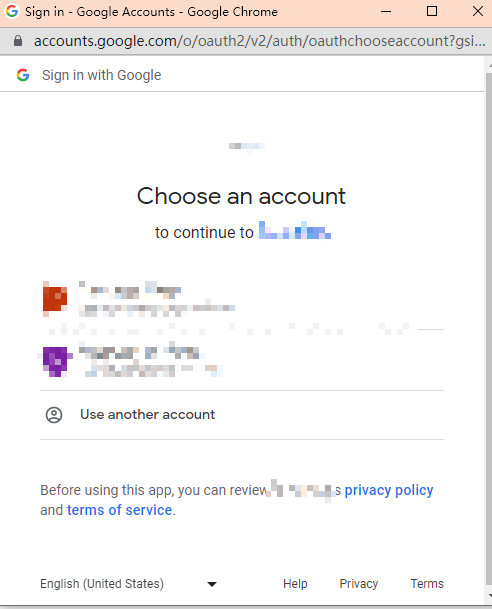
3.2.4. 使用 Gapi SDK 访问数据
Section titled “3.2.4. 使用 Gapi SDK 访问数据”以加载 Google Analytics (UA) Report API 为例:
gapi.load("client", () => {    // 初始化 gapi SDK 并设置上面获取到的 Token    gapi.client.setToken({ access_token: token });
    // 加载对应的 API Discovery 文档    gapi.client.load("https://content.googleapis.com/discovery/v1/apis/analyticsreporting/v4/rest").then(() => {        // 调用对应 API 获取数据        gapi.client.analyticsreporting.reports.batchGet({            resource: {                reportRequests: [                    {                        viewId: '[VIEW_ID_已隐藏]',                        dateRanges: [{ startDate: '7daysAgo', endDate: 'today' }],                        metrics: [{ expression: 'ga:sessions' }]                    }                ]            }        }).then(            res => console.log('Report Data:', res),            err => console.error('API Error:', err)        );    });});